
See it in action
A background report goes in. Here is what Context gives back.
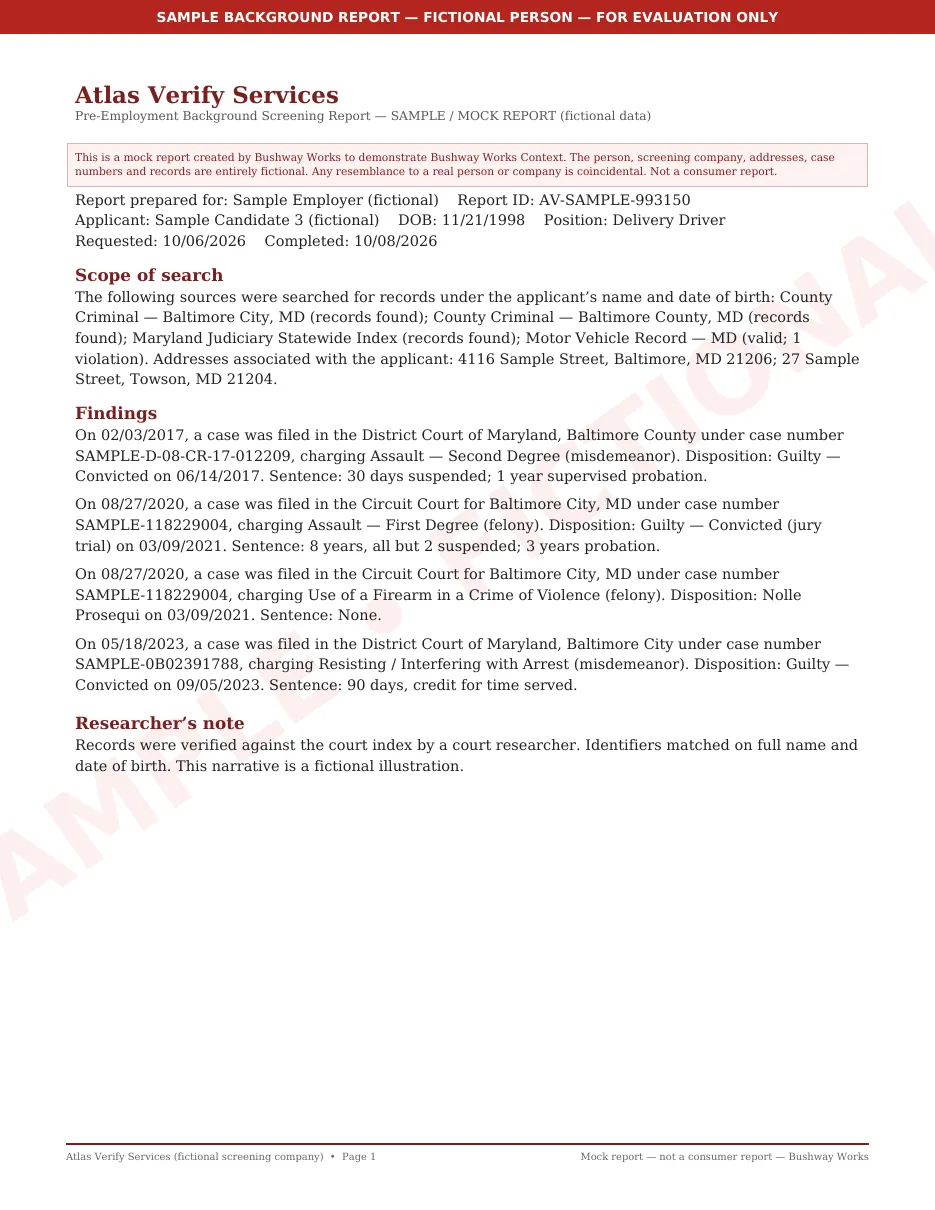
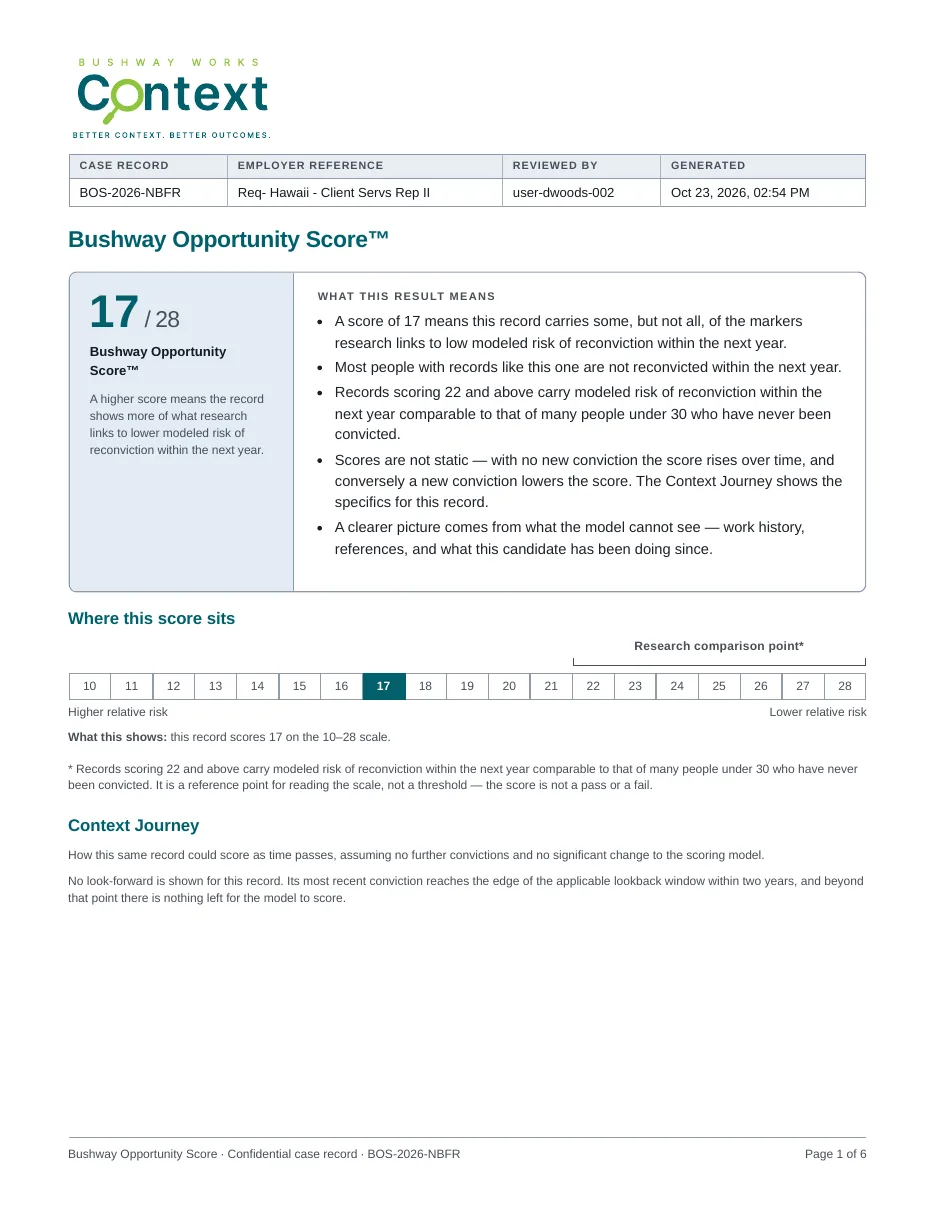
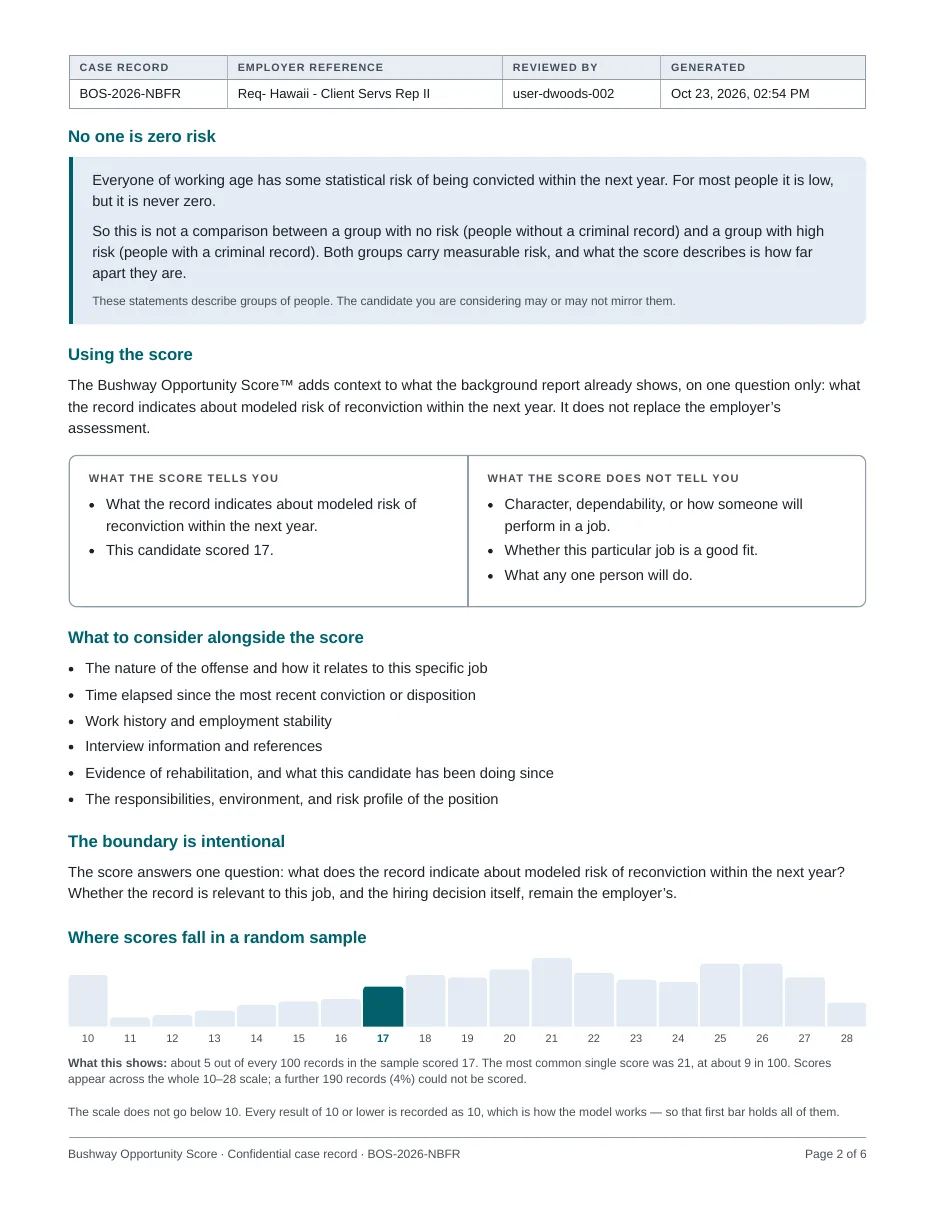
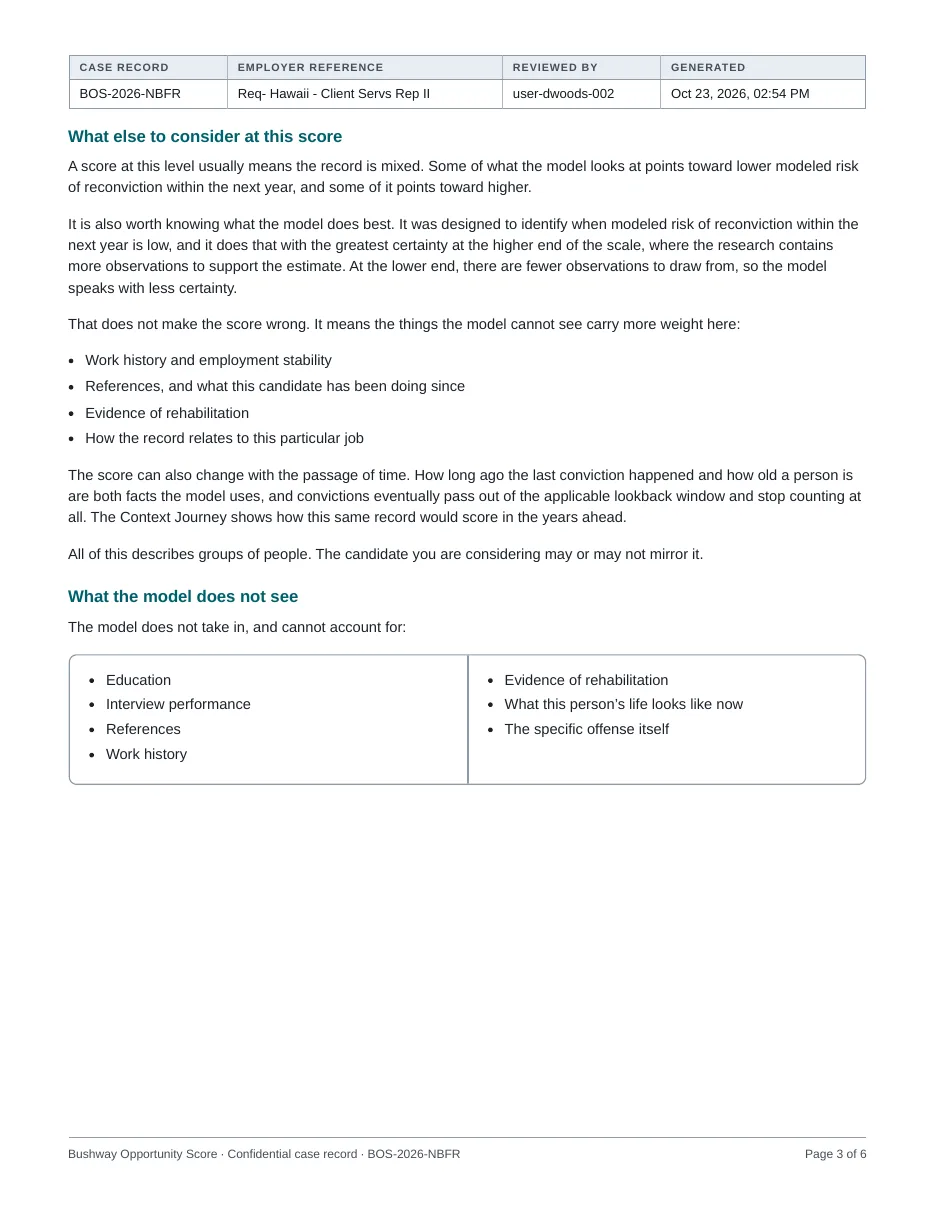
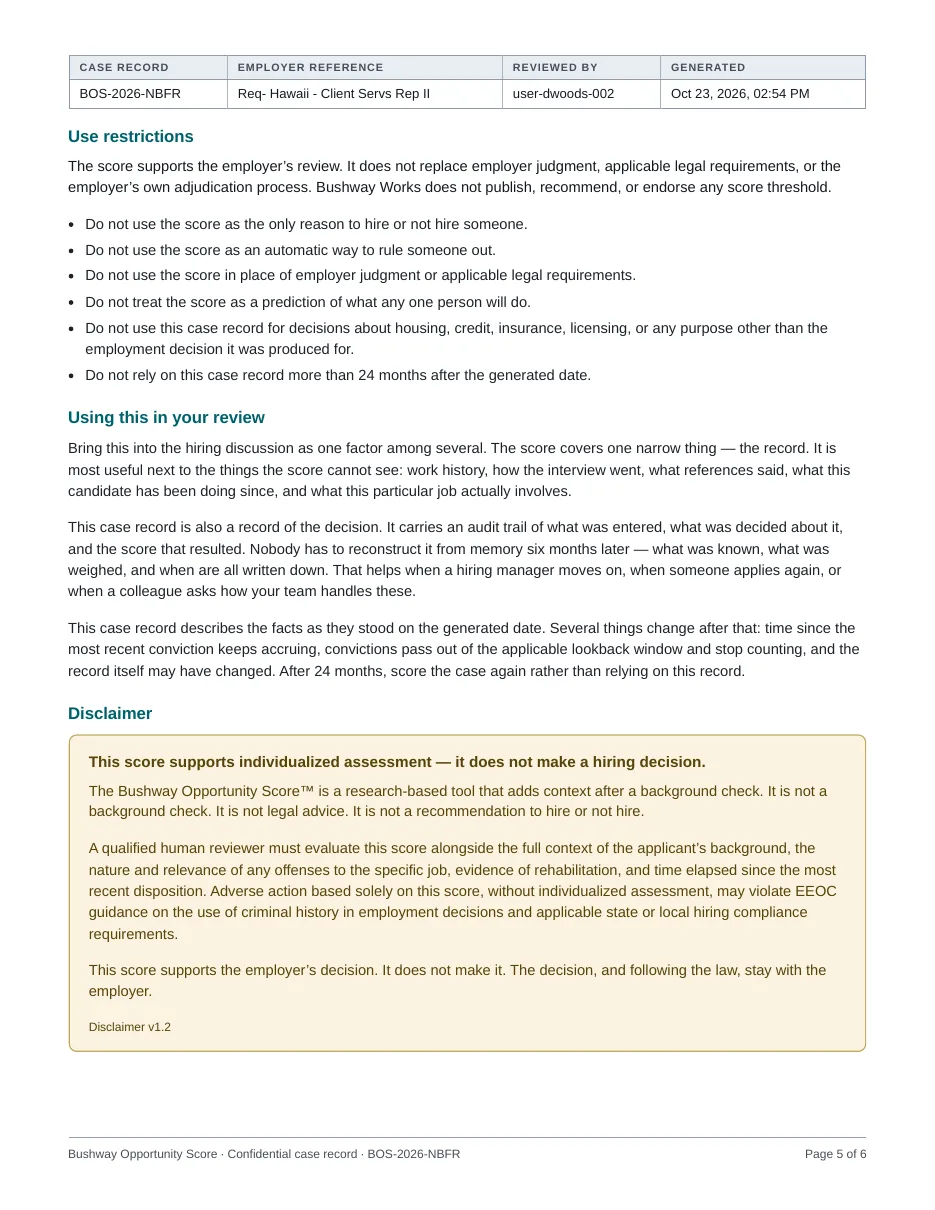
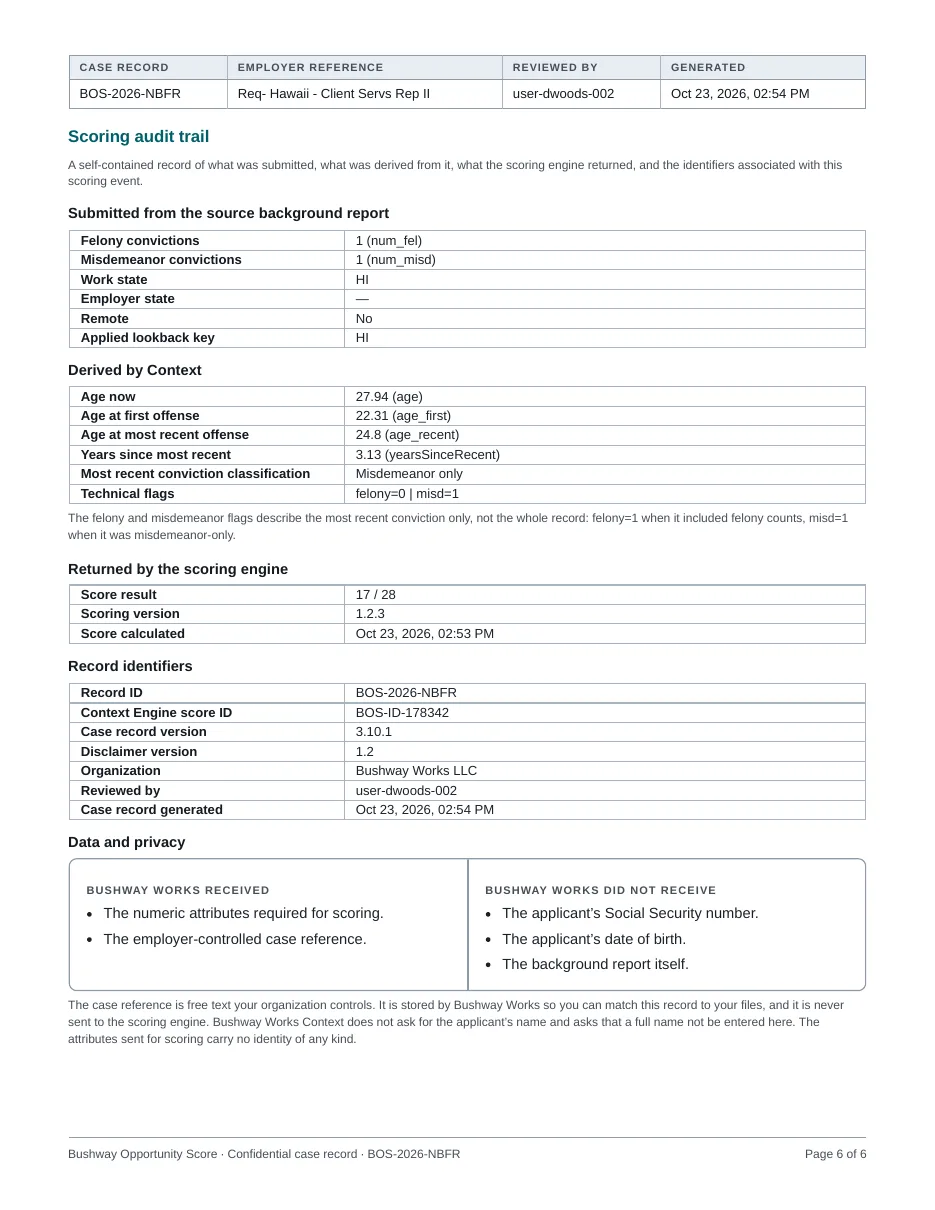
Fictional candidates, mock background reports, and the case record Bushway Works Context produced for each one. Look at the offenses, then look at the scores. The model never sees the offense — it sees age, timing, and how many convictions there are.
All people, screening companies, case numbers and addresses are fictional. The case records were produced by the live product.
Sample case
Same record, two job locations
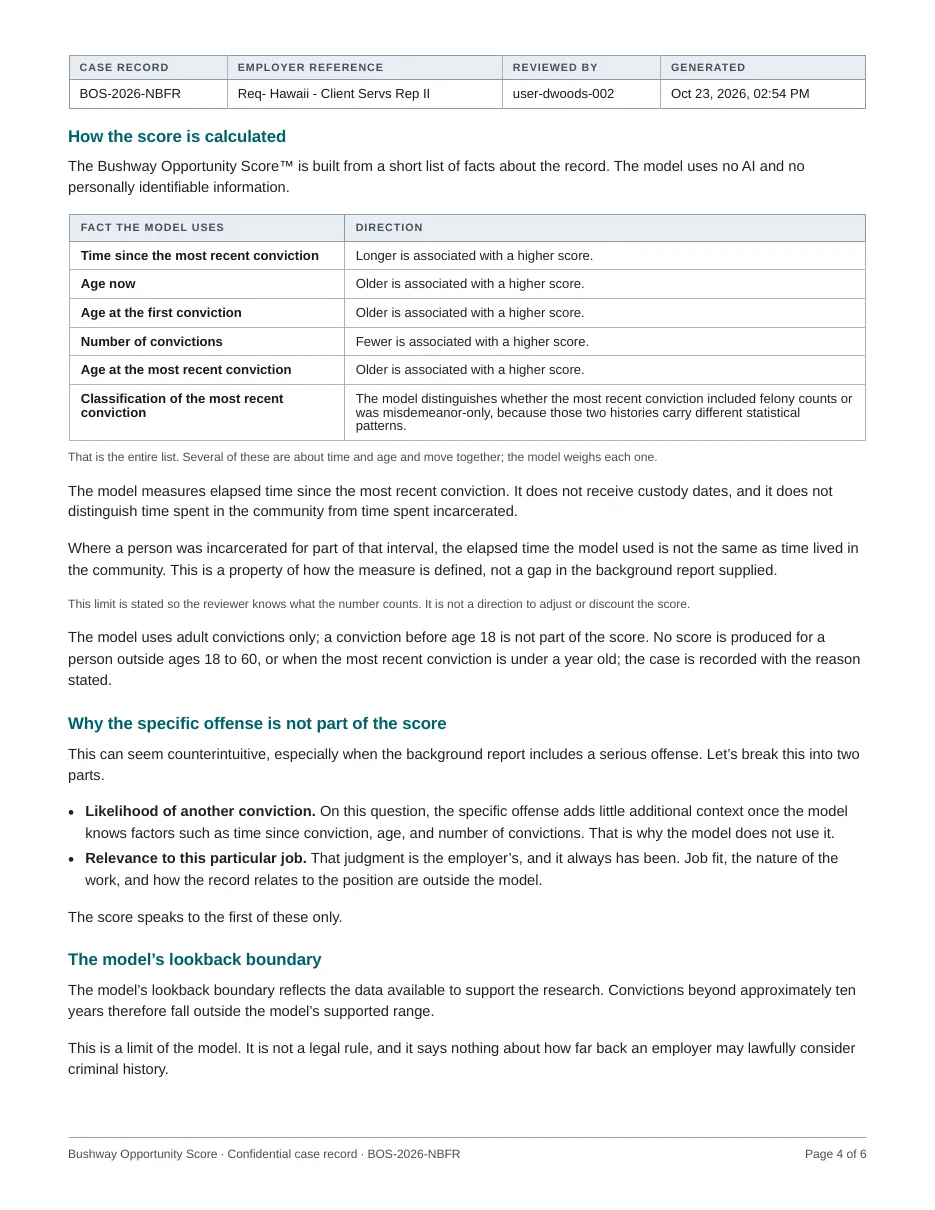
1 felony, 2 misdemeanors · Age 27 · Last conviction about three years ago
17/ 28
- Same person, same report, two scores.
- For a job in Hawaii, state law lets an employer consider misdemeanor convictions from the last five years only (felonies, seven), so the 2017 misdemeanor is set aside: 17.
- For a job in Maine, Context applies no state limit, and all three convictions count: 14.
- Context applies the rule for the job’s location and records which rule it used.
Want to see what Context makes of your own records?
Request accessHow access works
Context is available by approval. We verify every organization before it can score a record, to protect the people whose records are scored.
- 1Request accessUse your work email. Personal addresses such as Gmail can’t be approved.
- 2We review your organizationA person reviews every request, usually within one business day. We limit access to the tool to those involved in hiring decisions.
- 3Start your evaluation30 days and 10 cases, with no card required. Choose a plan when you’re ready.